Friday, December 3, 2010

10 Transition Effects: The art of Showing/Hiding Content

Delivering informative structure is the primary task an interactive user interface should be able to cope with. The more intuitive layout structure is designed, the better users can understand the content.
Whatever content you have to present, you can present them in a more interactive & more responsive ways. In this article we’d like to present 10 smart javascript techniques for showing and hiding content using different JS libraries.

1. Simple Toggle with CSS & jQuery

Expand-collapse Transition Effects

A simple toggle tutorial with an explanation of how to switch the “open” and “close” graphic state. The markup is pretty straight forward, where the h2 tag is a link that “trigger” the toggle effect. Below the h2, we will have our container where we hold the content.


2. jquery-fade-infade-out

Expand-collapse Transition Effects

A nice fade in fade out effect you can add to your website. The effect fades an element to 30% on arrival of the website, then when you hover over it, it fades to 100%. The effect can be assigned to basically anything in a website wether it be an image, text, a link or even a div.


3. How to Mimic the iGoogle Interface

Expand-collapse Transition Effects

In this tutorial you will learn how to create a customizable interface with widgets. Each widget can be collapsed, removed and edited. The widgets can be sorted into the three seperate columns by the user (using a drag and drop technique). The finished product will be a sleek and unobtrusively coded iGoogle-like interface which has a ton of potential applications using jQuery’s UI library and specifically the “sortable” and “draggable” modules.


4. Show/hide a nice Login Panel using Mootools 1.2

Expand-collapse Transition Effects

In this tutorial, we will see how to create a show/hide login/signup panel for your website using Mootools 1.2

   See Live Demo  |  Download Source File


5. jQuery pageSlide

Expand-collapse Transition Effects

jQuery pageSlide is a plugin for jQuery that slides the viewable webpage off-screen, revealing and populating a secondary interaction pane. It may be used in a similar manner to Lightbox, where screen real estate and centralization of the user experience are a concern.
  • The primary window is reserved for content; secondary interactions do not require additional space on the page — the area they need is created and removed on demand.
  • Because the user can see the original window, they have a greater likelihood of retaining focus, and can easily return to the previous task.
  See Live Demo 

6. Liquid expandable section with rounded corners using CSS

Expand-collapse Transition Effects

This tutorial explains how to design a nice liquid expandable section with rounded corners (top-left, top-right, bottom-left, bottom-right) using some lines of CSS, HTML and JavaScript code.

   See Live Demo  |  Download Source File


7. How to Make a Smooth Animated Menu with jQuery

Expand-collapse Transition Effects

This menu has a smooth animation using “easing” effect. There are two actions in the code used here. When the mouse moves over a menu item, that item starts an animation where it expands to 150px tall over 0.6 seconds. The easing applied through the plugin is ‘easeOutBounce’ which causes the box to “bounce” a little as it reaches the end of the animation (”out”). When the mouse is moved off the animation to the starting size is triggered.

   See Live Demo  |  Download Source File

8. Lazy Load

Expand-collapse Transition Effects

Lazy loader is a jQuery plugin written in JavaScript. It delays loading of images in (long) web pages. Images outside of view port (visible part of web page) wont be loaded before user scrolls to them. Using lazy load on long web pages containing many large images makes the page load faster. Browser will be in ready state after loading visible images. In some cases it can also help to reduce server load.

  See Live Demo  |  Download Source File

9. MOOSLIDE – AJAX CONTENT SLIDE

Expand-collapse Transition Effects

MooSlide’s functional solution is to present any contentis. It is a small and slim ajax based extension or replacement of the common “lightbox” that can be found on nearly every page. It is based on the mootools framework.

   See Live Demo  |  Download Source File


10. The Sexy Curls jQuery Plugin

Expand-collapse Transition Effects

Sexy Curls jQuery plugin is an open source solution which lets you share in the beauty of the page fold feature with ease. It uses the jQuery UI & its resizable package.
Labels:


Wednesday, July 28, 2010

20+ Advanced jQuery Effects Demos
Introduction of the iPad, with its lack of the Flash Player, there’s an acceleration in the web development world to use alternative technologies to Flash, such as jQuery, Ajax and others.

Although Flash is still a very powerful and useful tool, which works great on many cases, several of the effects that web designers are accustomed to creating in Flash, can be just as easily implemented using jQuery.

Here we have collected some jquery advance effects demo, enjoy!!!
1. Flip! A jQuery plugin

This demo mimics the popular card flip technique which can rotate an element 360 degrees around its own x or y-axis.


2. jQuery Quicksand plugin

This is a great plugin for sorting an array of elements/icons on a page with nice fade-in/fade-out and animation effects.


3. ImageFlow

This image viewer is similar to Apple’s CoverFlow interface that has become so familiar in their various products and applications.


4. Building an interactive map with jQuery instead of Flash

This demo joins the power of jQuery with Ajax to really create an engaging interface.


5. Slideout Tips With jQuery & CSS3

Clicking on the “+” symbols reveals additional information with a nice smooth animation effect.


6. Zoomer Gallery

In this demo, what appears to be a regular static image gallery is given some extra interactivity by using a multi-layer zoom effect when hovering over an image.


7. jQuery Circulate

This demo shows the much used Flash effect of circling an image around a page – all done using jQuery.


8. Photo Zoom Out Effect

This demo looks deceptively simple, but upon further examination you will find there are several layers to the complexity of the zoom-out effect.


9. Sliding Boxes and Captions with jQuery

Here we get to see how powerful transitions can be created using jQuery, a technique once reserved for Flash developers only.


10. CSS3 Lightbox Gallery

This plugin looks like it was written specifically for social-media. Dragging and dropping a photo on top of the “share box” will open a modal window that can be the interface to call an API via AJAX which can allow the user to share a photo on Flickr, Twitter, Facebook, and other sites.


11. Making a Photoshoot Effect With jQuery & CSS

Although this demo may seem like eye-candy at first glance, it could be a very powerful tool for working with large images when coupled with AJAX or HTML5 local storage.


12. Awesome Bubble Navigation

Here the developer makes good use of color transitions and animation to produce a very attractive and interactive menu.


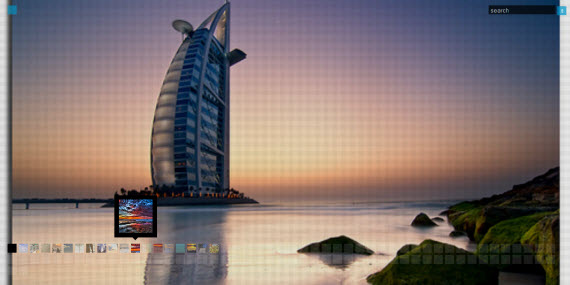
13. Beautiful Background Image Navigation

In this demo each user action triggers several transitions which all act to fully immerse the user in the interface.


14. AviaSlider

AviaSlider uses classic Flash-like transition effects to enhance what would appear to be a standard slider interface.


15. Background Image Slideshow

Animated backgrounds are one of the areas where Flash used to dominate in web design. Here is an example using jQuery instead.


16. Panning Slideshow

Another unique take on the typical slideshow interface. Here the author adds diagonal navigation to spice up the interface and to make it stand out.


17. jqFancyTransitions

This plugin can be used to display your photos as a slideshow with fancy Flash-like transition effects.


18. iCarousel – Horizontal images slider

Another slideshow that adds just a touch of easing to make the transitions really stand out. It’s no wonder that they chose to showcase sexy Mac products in this demo.


19. Making an Interactive Picture with jQuery

This demo can be used to take advantage of websites where there is lots of screen space. Clicking on a section of the website reveals a modal box which displays more information about the clicked section.


20. Cloud Zoom

A plugin that looks like it was designed with eCommerce in mind. Cloud Zoom is easy to implement and can really enhance the user’s experience.


21. Apple-like Retina Effect

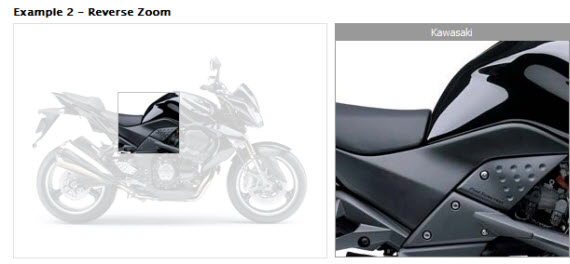
Anyone who has used an iPhone, iPod touch, or iPad is familiar with the “Retina View” that will enlarge a small area on the screen when you touch the area for an extended period of time. This demo implements this effect for the desktop.


Labels:


Thursday, January 7, 2010

30+ Fresh jQuery Image And Gallery for designers and developers

Easy Slider 1.5 – The Easiest jQuery Plugin For Sliding Images and Content

cssglobe-gallery-jquery-image-slideshow-tools-free

View Demo


JQZoom

JQZoom is a javascript image magnifier built at the top of the popular jQuery javascript framework.jQzoom is a great and a really easy to use script to magnify what you want.

jqzoom-gallery-jquery-image-slideshow-tools-free

View Demo


ImageFlow

ImageFlow is an unobtrusive and userfriendly JavaScript image gallery.

flow-gallery-jquery-image-slideshow-tools-free

View Demo


Sliding Image Gallery jQuery Plug-in

The SlidingGallery plug-in will take a group of images and turn them into a cyclical gallery of images which the user can click through. One image will be centered on the screen, with two smaller images off to the sides. The user can click either of the smaller images to bring them to the center, or the center image to enlarge it. For optimal use, this plug-in should be applied to seven or more images, but can work with fewer (images will be duplicated in order to bring the total to seven).

sliding-gallery-jquery-image-slideshow-tools-free

View Demo


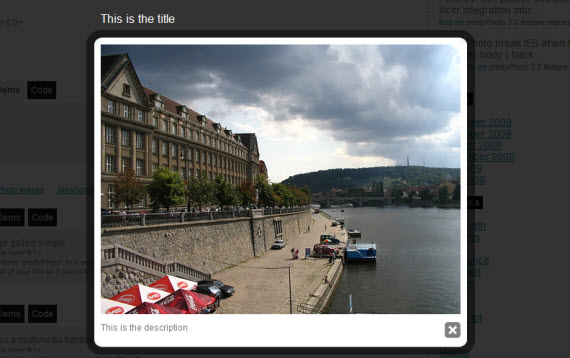
PrettyPhoto jQuery Lightbox Clone

PrettyPhoto is a jQuery based lightbox clone. Not only does it support images, it also add support for videos, flash, YouTube, iFrames. It’s a full blown media lightbox. The setup is easy and quick, plus the script is compatible in every major browser.

prettyphoto-gallery-jquery-image-slideshow-tools-free

View Demo


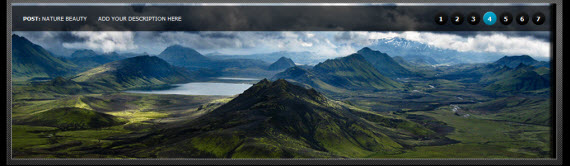
Create Beautiful jQuery slider tutorial

This tutorial explains how to develop Create Beautiful jQuery sliders tutorial with image description and name.

beautiful-gallery-jquery-image-slideshow-tools-free

View Demo


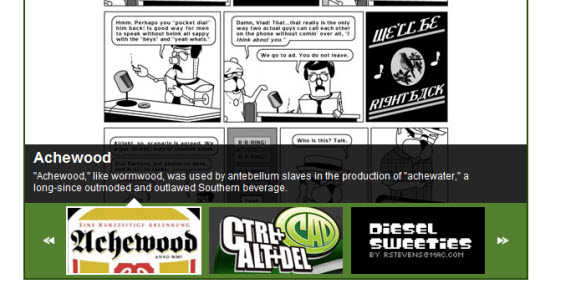
GalleryView: A jQuery Content Gallery Plugin

GalleryView aims to provide jQuery users with a flexible, attractive content gallery that is both easy to implement and a snap to customize.

gallery-view-jquery-image-slideshow-tools-free

View Demo


AD Gallery – a jQuery gallery plugin

A highly customizable gallery/showcase plugin for jQuery.

ad-gallery-jquery-image-slideshow-tools-free

View Demo


FancyBox

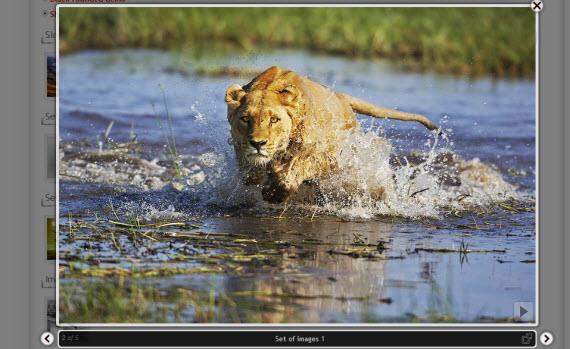
FancyBox is a tool for displaying images, html content and multi-media in a Mac-style “lightbox” that floats overtop of web page.

fancybox-gallery-jquery-image-slideshow-tools-free

View Demo


Shadowbox

Shadowbox is an online media viewer application that supports all of the web’s most popular media publishing formats. Shadowbox is written entirely in JavaScript and CSS and is highly customizable. Using Shadowbox, website authors can showcase a wide assortment of media in all major browsers without navigating users away from the linking page.

shadowbox-gallery-jquery-image-slideshow-tools-free

View Demo


Galleriffic

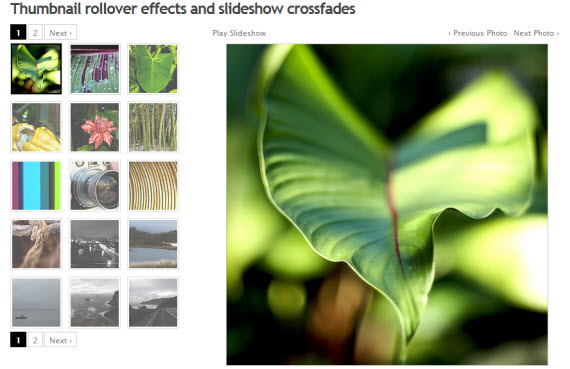
Galleriffic is a jQuery plugin that provides a rich, post-back free experience optimized to handle high volumes of photos while conserving bandwidth. I am not so great at spelling, and it was much later that I realized that the more appropriate spellings would be Gallerific or Gallerrific, but is too late now for a name change, so Galleriffic remains.

galleriffic-gallery-jquery-image-slideshow-tools-free

View Demo


Colorbox

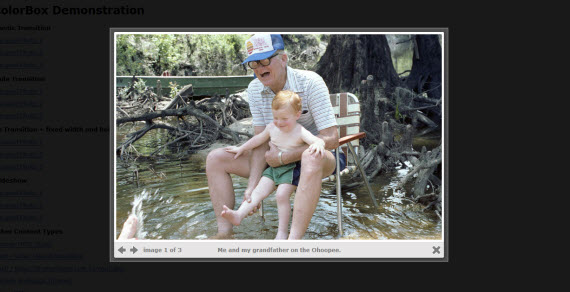
A light-weight, customizable lightbox plugin for jQuery 1.3.

colorbox-gallery-jquery-image-slideshow-tools-free

View Demo


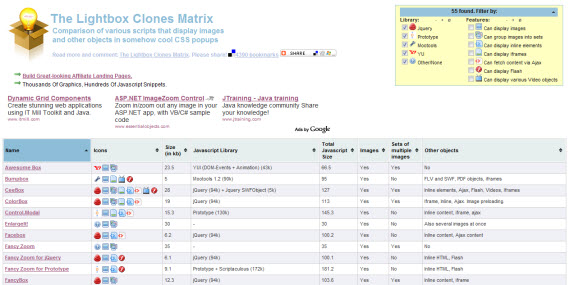
The Lightbox Clones Matrix

Comparison of various scripts that display images and other objects in somehow cool CSS popups

lightbox-clones-jquery-image-slideshow-tools-free


Full screen image gallery using jQuery and Flickr

It’s a full screen image gallery that automatically scales the image with kept aspect ratio to fill the browser background. It also supports a flickr search engine, thumbnails, captions, preloader and some other goodies.

fs-gallery-jquery-image-slideshow-tools-free

View Demo

Moving Boxes

moving-boxes-gallery-jquery-image-slideshow-tools-free

View Demo


Creating a Slick Auto-Playing Featured Content Slider

featured-slider-jquery-image-slideshow-tools-free

View Demo


Start/Stop Slider

start-stop-gallery-jquery-image-slideshow-tools-free

View Demo


SlideViewerPro 1.0

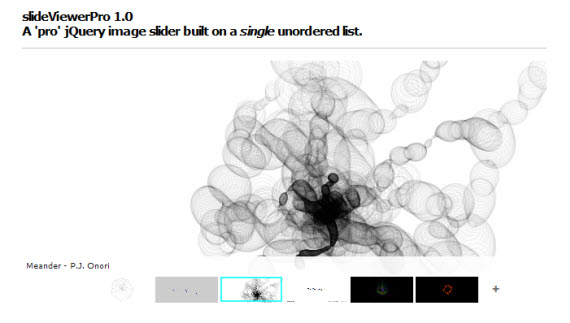
SlideViewerPro is a fully customizable jQuery image gallery engine wich allows to create outstanding sliding image galleries for your projects and/or interactive galleries within blog posts.

slide-viewer-jquery-image-slideshow-free-tools

View Demo


Pirobox V.1.2.1

pirobox-gallery-jquery-image-slideshow-tools-free

View Demo


s3Slider jQuery plugin

The s3Slider jQuery plugin is made by example of jd`s smooth slide show script.

s3slider-gallery-jquery-image-slideshow-tools-free

View Demo


CSS and Jquery – Creating an Image Slider

slider-gallery-jquery-image-slideshow-tools-free

View Demo


Create an Image Rotator with Description (CSS/jQuery)

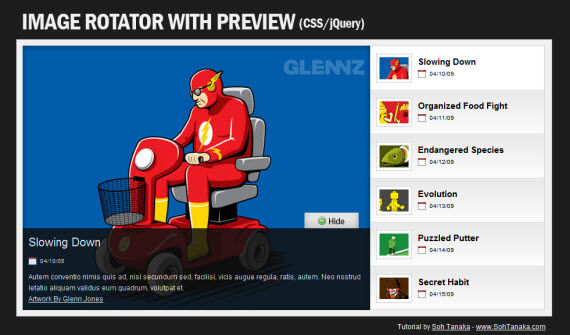
An image rotator is one great way to display portfolio pieces, eCommerce product images, or even as an image gallery. Although there are many great plugins already, this tutorial will help you understand how the image rotator works and helps you create your own from scratch.

rotator-gallery-jquery-image-slideshow-tools-free

View Demo


jQuery spherical panorama viewer

A javascript viewer for displaying spherical panoramas. An alternative to Java and QuickTime technology.

panorama-gallery-jquery-image-slideshow-tools-free

View Demo


Zoomimage – jQuery plugin

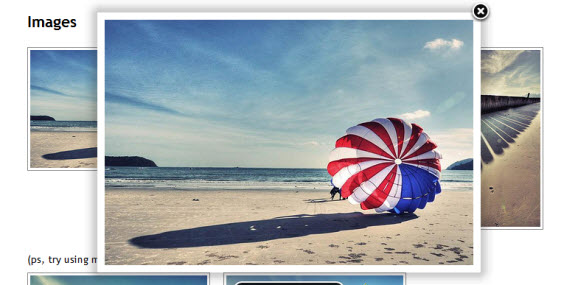
Present you images in stylish way. The links are unobtrusively highjacked to open the images in an inpage popup with drop shadow and border.

zoom-gallery-jquery-image-slideshow-tools-free

View Demo


Building a jQuery Image Scroller

scroller-jquery-image-slideshow-tools-free

View Demo


jQuery Panel Gallery Plugin

  • No slicing or editing of the images is needed
  • It’s just 5K
  • Easily configurable
  • Reusable on multiple containers

panel-jquery-image-slideshow-free-tools

View Demo


Supersized – Full Screen Background/Slideshow jQuery Plugin

supersized-gallery-jquery-image-slideshow-tools-free

View Demo


Pikachoose

Pikachoose is a lightweight Jquery plugin that allows easy presentation of photos with options for slideshows, navigation buttons, and auto play. Pikachoose is designed to be easily installed, easy to setup, and well… all around easy. Creating an image gallery shouldn’t be a complex thing. I’ve created a new plugin that I’m packaging with PikaChoose called SliderJS.

pikachoose-jquery-image-slideshow-free-tools

View Demo


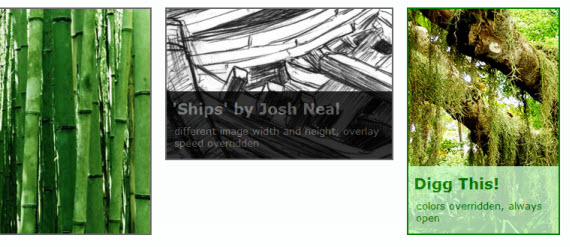
jQuery Image Overlay Plugin

The image overlay plugin is a simple jQuery plugin that attempts to present an image with an overlaid title/caption. The overlay drops in on hover, as you can see above.

overlay-jquery-image-slideshow-tools-free

View Demo


imgAreaSelect

imgAreaSelect is a jQuery plugin for selecting a rectangular area of an image. It allows web developers to easily implement image cropping functionality, as well as other user interface features, such as photo notes (like those on Flickr).

Plugin features:

  • Highly configurable
  • Customizable with CSS styling
  • Handles scaled images
  • Keyboard support for moving and resizing the selection
  • Supports callback functions
  • Provides API functions for easier integration with other application components
  • Lightweight — the packed version is less than 8KB

imgarea-select-gallery-jquery-image-slideshow-tools-free

View Demo


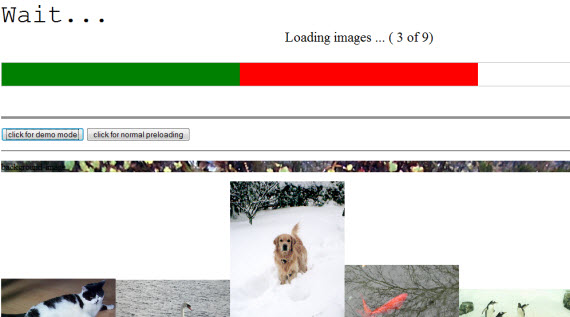
PFeloader

This is a preloader, it scans DOM and loaded StyleSheet’s for occurence of images (in sheet, style, as element).

StyleSheet file has to be in the same domain as page using it.

loading-gallery-jquery-image-slideshow-tools-free

View Demo


Image Reveal using jQuery

enlargement-gallery-jquery-image-slideshow-tools-free

View Demo


The jQuery Cycle Plugin

The jQuery Cycle Plugin is a lightweight slideshow plugin. It supports pause-on-hover, auto-stop, auto-fit, before/after callbacks, click triggers and many transition effects. It also supports, but does not require, the Metadata Plugin and the Easing Plugin.

cycle-gallery-jquery-image-slideshow-tools-free

View Demo


Galleria Plugin

This demonstration shows you aome more advanced effects you can accomplish with the Galleria plugin. The history object is also active, so feel free to try the back button in your browser and bookmark a page. The next and previous links are simple to create since the galleria object has two public functions for traversing the images in your list.

galleria-jquery-image-slideshow-tools-free

View Demo


CrossSlide jQuery plugin

CrossSlide is a jQuery plugin that implements in Javascript some common slide-show animations, traditionally only available to the web developer via Adobe Flash™ or other proprietary plugins. CrossSlide builds upon jQuery’s animation facility, so it is as portable across browsers as jQuery itself (a lot.)

crosslide-jquery-image-slideshow-tools-free

View Demo


Fancy Thumbnail Hover Effect w/ jQuery

fancy-gallery-jquery-image-slideshow-tools-free

View Demo

Labels: